

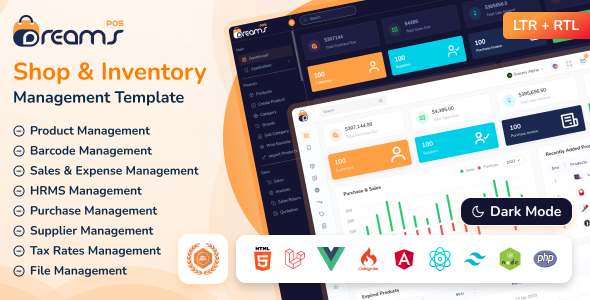
DreamsPOS - POS & Inventory Management Admin Dashboard Template - Admin Templates Site Templates Live Preview A point of sale admin template can help organize and track inventory in a business. The template includes fields for items, quantities, prices, and descriptions. It also includes fields for customer information, such as name and address. This information can help the business keep track of its inventory and meet customers’ needs.
System Overview
The Dreams POS template requires a modern web server environment with CodeIgniter 4 framework support, PHP 8.3+ compatibility, essential extensions, and development tools for optimal performance and development experience.
Core Technologies
Backend Framework
CodeIgniter 4.7.4
Frontend Framework
Bootstrap 5.3.8
Programming Language
PHP 8.4
System Requirements
Node.js
For SCSS compilation
PHP Extensions
mysql, curl, json, mbstring, xml
Composer
For PHP package dependency management
Text Editor
VS Code, Sublime Text, or any code editor
Development Tools
Local Server
XAMPP/WAMP/MAMP
Version Control
Git
Web Browser
Any modern browser
Important Note
Ensure all PHP extensions are enabled in your server configuration. For production deployment, consider using a managed hosting service that supports CodeIgniter 4 and PHP 8.3+.
Dreams POS offers powerful admin template and modern interface.
Built-in Applications
- Calendar
- Chat
- To Do
- Notes
- File Manager
- Social Feed
- Kanban
- Call
Layout Features
- Creative Design
- Fully Responsive
- Color & Fonts is easily changed
- W3C Validated Code
- Build with Bootstrap v5.x used
- Compatible Browsers: IE8+, Firefox, Safari, Opera, Chrome
- Dark, Light with RTL Supported
- Various Sidebar Colours
- Multiple Layouts
Project Overview
The CodeIgniter project follows standard CodeIgniter 4 directory structure
with the main application located in dreams-pos/ci/. The application includes all
standard CodeIgniter directories for a complete application structure.
dreams-pos/
└── ci/
    ├── app/
    │   ├── config/
    │   │   ├── autoload.php
    │   │   ├── database.php
    │   │   └── app.php
    │   ├── controllers/
    │   │   ├── BaseController.php
    │   │   ├── Home.php
    │   ├── models/
    │   ├── views/
    │   │   ├── layouts/
    │   │   │   ├── mainlayout.php
    │   │   ├── partials/
    │   │   │   ├── header.php
    │   │   │   ├── footer.php
    │   │   │   └── sidebar.php
    │   │   ├── pages/
    │   │   │   └── index.php
    │   ├── libraries/
    │   ├── helpers/
    │
    ├── system/
    │   ├── core/
    │   ├── libraries/
    │   ├── helpers/
    │   └── database/
    │
    ├── database/
    │   ├── migrations/
    │   ├── seeds/
    │   └── fixtures/
    │
    ├── public/
    │   ├── index.php
    │   ├── assets/
    │   │   ├── css/
    │   │   │   ├── style.css
    │   │   │   └── bootstrap.min.css
    │   │   ├── js/
    │   │   │   ├── script.js
    │   │   ├── fonts/
    │   │   ├── img/
    │   │   ├── plugins/
    │   │   └── scss/
    │   └── uploads/
    │       └── reports/
    │
    ├── writable/
    │   ├── cache/
    │   ├── logs/
    │   ├── session/
    │   └── uploads/
    │
    ├── tests/
    │   ├── unit/
    │   └── integration/
    │
    ├── .env
    ├── .gitignore
    ├── composer.json
    ├── package.json
    ├── spark
    └── README.md
CodeIgniter Template Structure
DreamsPOS uses CodeIgniter's templating system with a master layout file and individual page templates for consistent design and functionality. Below are the actual files from the project.
Main Layout File
This is the actual master layout file from the project that provides the common HTML structure, navigation, and scripts for all pages:
<!DOCTYPE html>
<?= $this->include('partials/theme-settings') ?>

<head>

    <?= $this->include('partials/title-meta') ?>

    <?= $this->include('partials/head-css') ?>

</head>

<?= $this->include('partials/body') ?>

	<div class="main-wrapper">

		<?= $this->include('partials/menu') ?>

		<?= $this->renderSection('content') ?>

	</div>

	<?= $this->include('partials/modal-popup') ?>

	<?= $this->include('partials/vendor-scripts') ?>

</body>
</html>
Sample Page Template
This is the actual starter page template from the project that extends the main layout:
<?= $this->extend('layouts/mainlayout') ?>

<?= $this->section('content') ?>

    <!-- Page HTML content goes here -->

    <div class="page-wrapper">

        <div class="content">
            <!-- Your page content -->
        </div>

		<?= $this->include('partials/footer') ?>

    </div>

<?= $this->endSection() ?>
CodeIgniter View System Benefits
- Template Inheritance: Views extend layouts for consistent structure
- Partial Views: Reusable components like headers, footers, and navigation
- Content Sections: Flexible content injection without output buffering
- Clean Separation: Logic and presentation are clearly separated
CodeIgniter Framework Setup
Follow these steps to set up Dreams POS CodeIgniter 4 application on your local development environment. This guide covers environment setup, CodeIgniter installation, and configuration.
Prerequisites
Installation Steps
Project Setup
Extract the DreamsPOS Codeigniter project to your web server directory:
Install PHP Dependencies
Open terminal/command prompt in the ci/ directory and run:
composer installAccess Application
Start your web server and access the Codeigniter application:
php spark servehttp://localhost:8080/
yourdomain.com/ci/public/
The default font is Inter. To change the font:
Update the @import URL and the
--font-family-primary variable in style.css:
// Font
@import url('https://fonts.googleapis.com/css2?family=Inter:ital,opsz,wght@0,14..32,100..900;1,14..32,100..900&display=swap');
	body {
		font-family: "Inter", sans-serif;
	}
The design token variables are defined in the @theme block of
your CSS file. Here are the primary color tokens:
Background Color Change
You can change the header background color in style.css as per your wish
	.header {
		background: #fff;
		left: 0;
		position: fixed;
		right: 0;
		top: 0;
		height: 60px;
	}
How it Works
Dark mode is controlled by a theme attribute/class on the root element. When activated, all design tokens are overridden to dark variants.
The theme is controlled by the data-theme attribute on the <html> element:
<html lang="en" data-theme="dark">Dark mode styles are defined in the [data-theme=dark] block in style.css:
[data-theme=dark] {
	--color-dark: #D8DDDF;
	--color-light: #19222E;
	--color-white: #0B0D0E;
}To enable Right-to-Left (RTL) layout, add the dir="rtl"
attribute to the <html> tag:
<html lang="en" dir="rtl">Tailwind CSS handles RTL layout transformations automatically when the
dir attribute is set. All margin, padding, and positioning
utilities adapt to the RTL direction.
RTL Demo
An RTL demo page is available at layout-rtl.php in
the HTML version for reference.
Use Tabler Icons with specific class
	<!DOCTYPE html>
	<html lang="en">
		<head>
            <!-- Tabler Icon CSS -->
            <link rel="stylesheet" href="<?php echo base_url('assets/plugins/tabler-icons/tabler-icons.min.css'); ?>">
		</head>
	</html>
	<i class="ti ti-dashboard"></i>
	<i class="ti ti-stethoscope"></i>
	<i class="ti ti-chart-pie-3"></i>
The default layout features a full vertical sidebar on the left, a horizontal topbar at the top, and the main content area. This is the standard layout used across all dashboard pages.
- Full-width sidebar with navigation menu, logo, and user profile
- Top header with search, notifications, and user actions
- Responsive - sidebar collapses to overlay on mobile devices
The mini sidebar layout collapses the sidebar to show only icons, providing more space for the main content area. Users can toggle between expanded and collapsed states using the sidebar toggle button.
- Collapsed sidebar showing only menu icons
- Hover to expand and reveal full menu text
- Toggle via the hamburger button in the topbar
Dreams POS is developed by Dreams Technologies and is available under both Envato Extended & Regular License options.
Regular License
Usage by either yourself or a single client is permitted for a single end product, provided that end users are not subject to any charges.
Extended License
For use by you or one client in a single end product for which end users may be charged.
What are the main differences between the Regular License and the Extended License?
If you operate as a freelancer or agency, you have the option to acquire the Extended License, which permits you to utilize the item across multiple projects on behalf of your clients.
Need Support?
If this documentation does not address your questions, please feel free to contact us via email at support@dreamstechnologies.com
Reach the team at GMT+5:30. Typical reply within 12–24 hours on weekdays — rarely up to 48 hrs during holidays. Support is available to verified buyers for template-related issues.
Contact SupportImportant Note : We strive to offer top-notch support, but it's only available to verified buyers and for template-related issues such as bugs and errors. Custom changes and third-party module setups are not covered.
Do you need a customized application for your business?
If you need a customized application for your business depends on your specific requirements and goals, Please contact us. Customization can be the key to success, ensuring your project perfectly aligns with your unique goals and requirements.
Don't Miss Out on the Benefits of Customization!
Unlock the potential of your project. It's time to ensure your project isn't another cookie-cutter solution but truly unique and effective one.
Discover how customization can make a difference in your project's success. Let's create a solution that's as unique as your vision!
We'll tailor the application to meet your specific needs and preferences.
We will upload your website to the server and ensure it is live.

Thank You
Thank you once again for downloading Dreams POS.
We hope you're enjoying your experience, and we kindly request that you take a
moment to share your valuable review and rating with us.