

- Item Name : DreamsPOS - POS & Inventory Management Admin Dashboard Template
- Item Version : v2.2.5
- Author : Dreams Technologies
- Support via email: support@dreamstechnologies.com
- Support via themeforest: Take me there
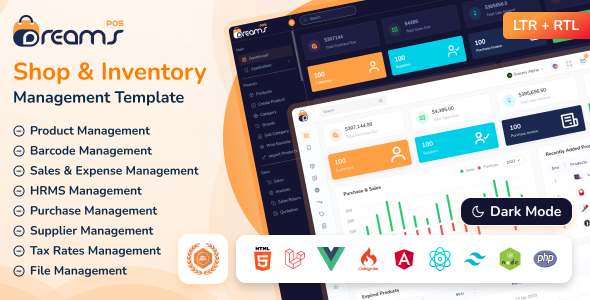
 DreamsPOS - POS & Inventory Management Admin Dashboard Template
A point of sale admin template can help organize and track inventory in a business. The template includes fields for items, quantities, prices, and descriptions. It also includes fields for customer information.
System Overview
The Dreams POS template requires a modern Cakephp development environment with PHP 8.2+ support, essential extensions, and development tools for optimal performance and development experience.
Core Technologies

Backend Framework
Cakephp 5.2.11
Frontend Framework
Bootstrap 5.3.8
Programming Language
PHP 8.4
System Requirements
Composer
For dependency management
PHP Extensions
bcmath, ctype, fileinfo, json, mbstring, openssl, pdo, tokenizer, xml
Node.js
For Vite build process & SCSS compilation
Text Editor
VS Code, Sublime Text, or any code editor
Development Tools
Local Server
XAMPP/WAMP/MAMP
Version Control
Git
Web Browser
Any modern browser
Important Note
Ensure all PHP extensions are enabled in your server configuration. For production deployment, consider using a managed hosting service that supports Cakephp 5.2+ and PHP 8.4+.
Core Features
Product Management
Seamless product browsing with dynamic search, smart filters, and visually rich catalogs.
Inventory Control
Real-time stock tracking, batch management, and low-stock notifications.
Billing & Invoices
Generate professional invoices, manage payments, and track sales history.
Point of Sale
Fast checkout process with barcode scanning, discounts, and multiple payment options.
Supplier & Purchase Management
Manage suppliers, track purchase orders, and maintain procurement records.
Reports & Analytics
Detailed sales, purchase, and inventory reports with real-time business insights.
Technical Features
CakePHP 5.x
Powerful PHP framework with rapid development
Powerful Console & CLI
Custom CLI commands and task automation.
DebugKit Developer Toolbar
Enables easy debugging and development
Integrated Testing
PHPUnit testing framework included
Performance and Caching
Supports multiple cache engines
MVC Architecture
Strict MVC pattern implementation
UI/UX Features
Modern Design
Creative and contemporary UI
Responsive Bootstrap 5.3.8
Mobile-first responsive design
SCSS Styling
Advanced CSS preprocessing
Font Awesome & Tabler
Comprehensive icon libraries
Easy Customization
Color and font customization
W3C Validated
Cross-browser compatibility
Project Overview
The project follows Cakephp's MVC architecture with clear separation of concerns and modern development practices.
Legend
Cakephp Template Structure
Dreams POS uses Cakephp's templating engine with a master layout file and individual page templates for consistent design and functionality. Below are the actual files from the project.
Main Layout File
This is the actual master layout file from the project that provides the common HTML structure, navigation, and scripts for all pages:
<!DOCTYPE html>
<?= $this->element('theme-settings') ?>

<head>
    <!-- Meta Tags -->
	<meta charset="utf-8">
	<meta http-equiv="X-UA-Compatible" content="IE=edge">
	<meta name="viewport" content="width=device-width, initial-scale=1.0">
	<meta name="description" content="Dreams POS is a powerful Bootstrap based Inventory Management Admin Template designed for businesses, offering seamless invoicing, project tracking, and estimates.">
	<meta name="keywords" content="inventory management, admin dashboard, bootstrap template, invoicing, estimates, business management, responsive admin, POS system">
	<meta name="author" content="Dreams Technologies">
	<meta name="robots" content="index, follow">
	<title><?= h($this->PageTitle->generate()) ?></title>

    <script>
        const baseUrl = '<?= $this->Url->build('/', ['fullBase' => true]); ?>';
        window.IMG_BASE_PATH = '<?= $this->request->getAttribute('webroot'); ?>img/';
        window.BASE_PATH = '<?= $this->request->getAttribute('webroot'); ?>';
    </script>

    <?= $this->element('head-css') ?>
</head>

<?= $this->element('body') ?>

	<?= $this->element('loader') ?>

    <!-- Begin Wrapper -->
    <?= $this->element('main-wrapper') ?>

        <?= $this->element('menu') ?>

        <?= $this->Flash->render() ?>
        <?= $this->fetch('content') ?>
    </div>
    <!-- End Wrapper -->

    <?= $this->element('modal-popup') ?>
    <?= $this->element('vendor-scripts') ?>
</body>
</html>
Sample Page Template
This is the actual starter page template from the project that extends the main layout:
<!-- ========================
    Start Page Content
========================= -->

<div class="page-wrapper">

    <!-- Start Content -->
    <div class="content">

        <!-- Your page content -->

    </div>
    <!-- End Content -->

    <?= $this->element('footer') ?>

</div>

<!-- ========================
    End Page Content
========================= -->
Key CakePHP Template Features
Element System
Reusable components like headers, sidebars, and footers across multiple pages.
Layout Inheritance
Extend a single master layout to maintain a consistent structure throughout the project.
Content Blocks
Define and render dynamic sections like content, scripts, or styles anywhere in your layout.
Conditional Rendering
Display elements or layouts based on controllers, actions, or route parameters.
Helper System
Simplify HTML, forms, links, and time formatting using built-in CakePHP helpers.
Dynamic Page Titles
Automatically generate clean, readable titles based on the current route or controller.
Asset Management
Easily include CSS and JavaScript files through CakePHP’s Html and Url helpers.
Modal Components
Load reusable modals or popups using elements for consistent UI across pages.
Cakephp Framework Setup
Follow these steps to set up Dreams POS Cakephp application on your local development environment. This guide covers Cakephp-specific installation, environment configuration, and project setup.
Installation Steps
Project Setup
Extract the Dreams POS Cakephp project to your web server directory:
Install PHP Dependencies
Open terminal/command prompt in the Cakephp project directory and run:
composer installEnvironment Configuration
Configure your Cakephp environment:
cp config/.env.example config/.envKey Generation
Generate a new salt security key:
bin\cake generate_saltAccess Application
Start your web server and access the Cakephp application:
bin\cake serverhttp://localhost:8765
yourdomain.com/cakephp/template/
Overview
Sass (Syntactically Awesome Style Sheets) is a CSS preprocessor that extends CSS with variables, nesting, mixins, and more. This guide covers the installation and setup of Sass for the Dreams POS template.
Prerequisites
Node.js Installation
Before installing Sass, ensure you have Node.js installed on your system:
https://nodejs.org/en/download/
Installation Steps
Install NPM Package Manager
Install the latest version of npm package manager:
npm install -g npm@latestInstall Sass Globally
Install Dart Sass globally using npm:
npm install -g sassVerify Installation
Check if Sass is installed correctly:
sass --versionCompilation Methods
| Method | Description | Default Sass Command | npm Script Command | |
|---|---|---|---|---|
| One-time Compilation (Production) |
Compile SCSS files once for production with minified output |
sass webroot/scss/main.scss:webroot/css/style.css
|
npm run sass
|
|
| Watch Mode (Development) |
Automatically recompile on file changes for real-time development |
sass webroot/scss/main.scss:webroot/css/style.css --watch
|
npm run sass:watch
|
|
| Run Without Source Map (Production/Optional) |
Compile SCSS without generating source maps, ideal for production builds |
sass webroot/scss/main.scss:webroot/css/style.css --style=compressed --no-source-map
|
npm run sass:no-map
|
Best Practices
Development
- Use watch mode for real-time updates
- Enable source maps for debugging
- Organize SCSS with partials
Production
- Use compressed output style
- Minimize file size
- Optimize for performance
Overview
The Dreams POS CakePHP application includes a powerful dynamic title
generation feature that automatically builds clean, human-readable page titles based on
the current route or request URI.
This feature is managed by a custom CakePHP PageTitleHelper and is automatically
used in the main layout for all pages.
src/View/Helper/PageTitleHelper.php
This helper file contains the title generation logic.
Key Features
Route-Based Titles
Generates page titles automatically from the current request URI or route path.
Smart Acronym Detection
Automatically capitalizes acronyms like AI, API, SEO, and FAQ.
Smart Word Processing
Cleans and formats filenames by converting hyphens and underscores into proper words.
SEO Friendly Titles
Ensures consistent, human-readable titles that improve SEO readability.
Automatic Generation
Removes the need for manually setting titles on each view file.
Consistent Formatting
Maintains a unified, polished title style across all pages.
Examples
- # Request Path → Generated Title
- index → "Admin Dashboard"
- ui_avatar → "Avatar"
- icon_bootstrap → "Bootstrap Icons"
- forgot_password_2 → "Forgot Password"
How It Works
- Reads the current URI from the request object.
- Removes underscores, hyphens, and numbers.
- Capitalizes each word and handles acronyms.
- Removes any prefix like “ui” automatically.
- Appends the application name for a complete title.
Title Format
All generated titles follow this consistent format:
<title>{Generated Title} | Dreams POS - Inventory Management & Admin Dashboard Template</title>For request path /sales_dashboard:
Sales Dashboard | Dreams POS - Inventory Management & Admin Dashboard Template
The PageTitleHelper automatically handles page title creation based on the
current route or URI. You can also manually define custom titles from your controller or
layout if needed. The helper is loaded globally and used directly in
templates/layout/mainlayout.php to ensure consistent title generation across the
entire application.
Overview
The Dreams POS Cakephp application includes comprehensive RTL (Right-to-Left) language support for Arabic, Hebrew, and other RTL languages. RTL is implemented through route-based conditional rendering and CSS loading.
Implementation
RTL support is implemented through multiple components working together:
HTML Direction Setting
The HTML direction is set conditionally in templates/element/theme-settings.php:
<html lang="en" dir="rtl">Conditional CSS Loading
RTL-specific CSS is loaded conditionally in templates/element/head-css.php:
<?php if ($page !== 'layout_rtl') {   ?>
    <!-- Bootstrap CSS -->
    <?php echo $this->Html->css('bootstrap.min.css'); ?>
<?php }?>

<?php if ($page == 'layout_rtl') {   ?>
    <!-- Bootstrap-RTL CSS -->
    <?php echo $this->Html->css('bootstrap.rtl.min.css'); ?>
<?php }?>
Key Features
- Page-based RTL detection using
$pagevariable - Automatic HTML
dir="rtl"attribute setting - Conditional loading of Bootstrap RTL CSS via Built-in
HtmlHelper - Seamless integration with CakePHP's view layer
- Easy toggling between LTR and RTL layouts
Access /layout_rtl route to see the RTL layout sample. The RTL implementation automatically handles CSS loading and HTML direction based on the current route.
Please note that our respond can take up to 2 business days.
- Availability to answer questions, Answering technical questions about item’s features, Assistance with reported bugs and issues, Help with included 3rd party assets.
- Any customization request will be ignored.
- Please make sure to read more about the support policy.
If this documentation does not address your questions, please feel free to contact us via email at Item Support Page
We are in the GMT+5:30 time zone and typically respond to inquiries on weekdays within 12-24 hours. Please note that in rare cases, the response time may extend to 48 hours, especially during holiday seasons.
We strive to offer top-notch support, but it's only available to verified buyers and for template-related issues such as bugs and errors. Custom changes and third-party module setups are not covered.
Don’t forget to Rate DreamsPos!
DreamsPos is developed by Dreams Technologies and is available under both Envato Extended & Regular License options.
Regular License
Usage by either yourself or a single client is permitted for a single end product, provided that end users are not subject to any charges.
Extended License
For use by you or one client in a single end product for which end users may be charged.
What are the main differences between the Regular License and the Extended License?
If you operate as a freelancer or agency, you have the option to acquire the Extended License, which permits you to utilize the item across multiple projects on behalf of your clients.
Do you need a customized application for your business?
If you need a customized application for your business depends on your specific requirements and goals, Please contact us.
Customization can be the key to success, ensuring your project perfectly aligns with your unique goals and requirements.
Don't Miss Out on the Benefits of Customization!
Unlock the potential of your project. It's time to ensure that your project isn't just another cookie-cutter solution but a truly unique and effective one.
Discover how customization can make a difference in your project's success. Let's create a solution that's as unique as your vision!
- We'll tailor the application to meet your specific needs and preferences.
- We will upload your website to the server and ensure it is live.

Thank You
Thank you once again for downloading DreamsPos.
We hope you're enjoying your experience, and we kindly request that you take a moment to share your valuable review and rating with us.